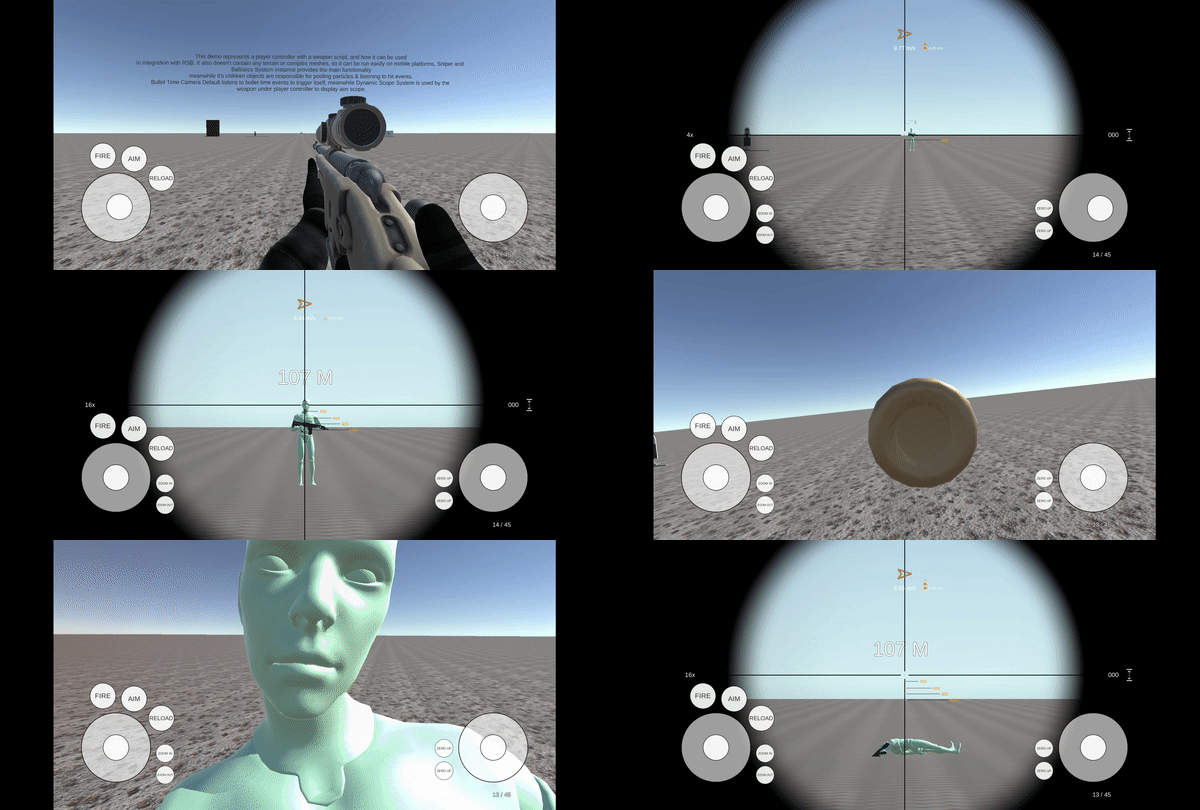
Mobile controls
Use the touch joystick and UI-button example.
Open SAMPLES/Scenes/MobileDemo.unity. The scene includes SAMPLES/Prefabs/CANVAS - Mobile Controls.prefab, with DemoMobileController and DemoMobileJoystick handling movement/look joysticks and buttons.
Keep the scene's EventSystem with RSBDemoEventSystem. It installs the UI module for the selected backend. New or Both input uses InputSystemUIInputModule; Old input uses StandaloneInputModule. The new adapter includes touch UI bindings. This only configures EventSystems explicitly carrying the RSB component.
DemoMobileController exposes pointer-down handlers for aim, fire, reload, zoom in/out and zero-distance up/down. It publishes static MoveInput and LookInput vectors for the movement/camera mobile branches. Aim toggles its state in the mobile button handler, while desktop aim is held.
The weapon can also be driven directly through FireInput(), ReloadInput() and AimInput(bool). Movement and camera are input consumers; they do not expose the same public action methods.
Build for the target platform and test multitouch, simultaneous joystick/fire use, UI scaling and pause/resume. The mobile code paths use platform compile symbols, so a desktop Play-mode run alone does not validate a mobile build. Profile scope wind indicators and camera effects on your target devices; historical device results are not current performance guarantees.