Ballistic surfaces: ricochet
Reflect a bullet and reduce its remaining energy.
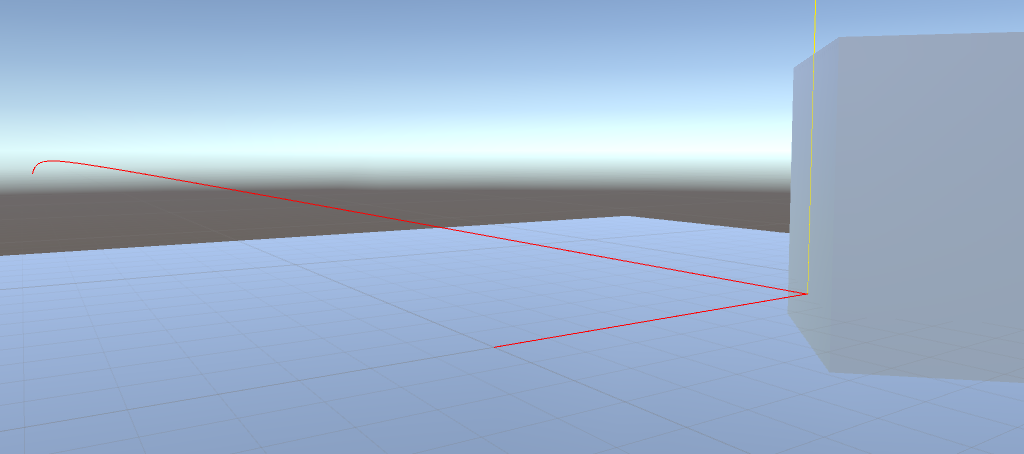
On the tutorial cube's BallisticSurface, disable penetration and enable ricochet. Move it to (2, 2, 10) and rotate it to (0, 45, 0) so a shot can bounce off its face.
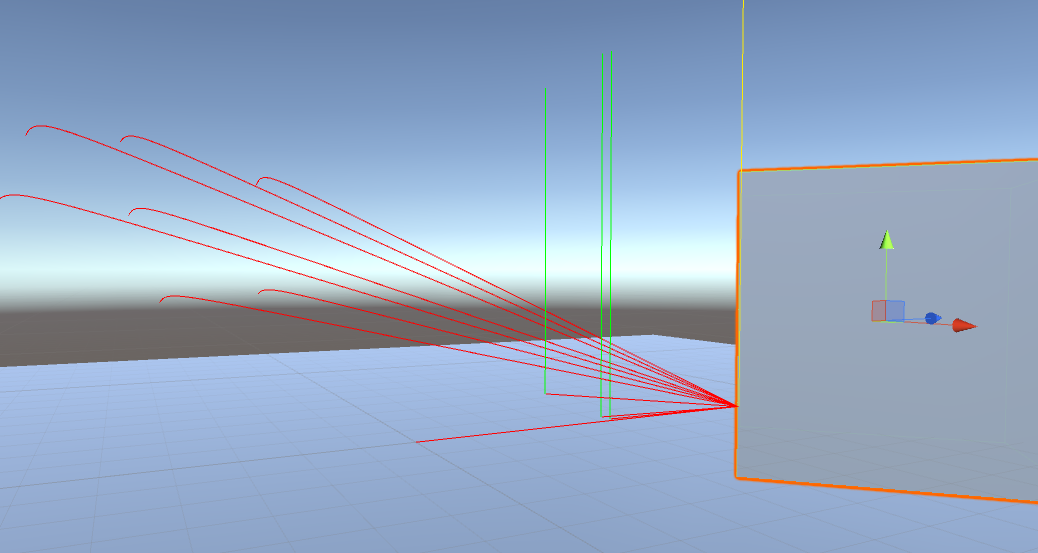
The bullet needs energy strictly greater than Min Energy. On a ricochet, Energy Consumption removes a fraction once at impact. Collider thickness does not affect this loss. The outgoing path reflects the incoming direction around the hit normal, with additional variation from Deflection Angles.
Try a deflection range of 10–20 to make the variation visible. Watch the debug trajectory and ERicochetHit event. Adjust consumption and minimum energy to determine how far a bounced shot can continue.
When both features are enabled, penetration is checked first. Ricochet is considered only when penetration is disabled or its energy condition fails. If neither condition succeeds, the hit is Normal and stops the shot. There is no exposed grazing-angle threshold for choosing ricochet over penetration.