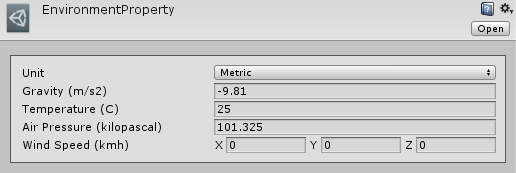
Environment properties
Create the scene-wide environmental settings.
In the Project window, choose Create → RSB → EnvironmentProperties. Assign this asset to the Environment Properties field of the scene's SniperAndBallisticsSystem.
| Setting | Metric unit | Default |
|---|---|---|
| Gravity | m/s² | -9.81 |
| Air pressure | kPa | 101.325 |
| Temperature | °C | 25 |
| Wind speed | km/h, world-space X/Y/Z | (0, 0, 0) |
The Inspector supports metric and imperial entry. Runtime simulation uses the metric fields regardless of the display setting. Gravity acts vertically; pressure and temperature feed the stability calculation used for spin drift. The drag helper does not take pressure or temperature arguments.
The system clones the assigned asset in Awake. Change SniperAndBallisticsSystem.instance.GlobalEnvironmentProperties to adjust the running scene, rather than editing the original asset reference. Wind vector shows an example.
A separate environment reference in the Bullet Properties Inspector is for the editor preview; it does not replace the scene's environment.